


 Greenland
  FSX Scenery
Extreme Southwestgreenland Terrain Mesh
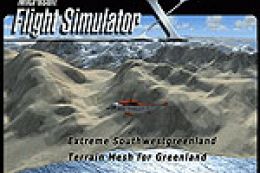
Extreme Southwestgreenland Terrain Mesh For Greenland. Everybody who flies in…
Extreme Westgreenland Terrain Mesh brings sharply improved elevation detail to western Greenland in FSX, replacing the famously inaccurate default terrain between 65°N and 68°N. It delivers LOD11 mesh across more than 50,000 square kilometers, plus a reworked coastline and refined lake shapes for more believable fjords, valleys, and approaches.
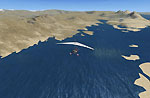
Extreme Westgreenland Terrain Mesh for Greenland. Everybody who flies in Greenland knows how incorrect the default scenery is. This replacement terrain mesh covers western Greenland from Lat N 65 to N 68, including over 50,000 sq km with LOD11 mesh. By Ulrik Motzfeldt.
Extreme Westgreenland Terrain Mesh.
Everybody who flies in Greenland knows, how incorrect the default scenery is. This is a new terrain mesh scenery which covers Westgreenland - from Lat N 65 to N 68. As SRTM data do not cover above N 60 - no Greenland mesh scenery has been produced. This is one of the most detailed Greenland terrain mesh released up to release date of this scenery.
This great package covers more than 50.000 sq. km. area. This includes:
* LOD11 Mesh (terrain/elevation)
* Redesigned coastline
* Redesign lakes
Special Thanks go to those who supported this Product and all the kind peoples around in FS forum’s. Without the help and support from theme Extreme Westgreenland wouldn’t exist.
Peter Henrik Poulsen (alias: phpdk) who helped me to learn the development tools which was used to produce the more accurate coastline.
Holger and Scott967 (aliases from forum), who helped me to understand Global Mapper export function.
Free for all simmers · 44.95 MB · Scanned clean Oct 2026
Download speed: Free tier is capped at 0.5 Mbps (this file takes approximately 13 mins at the cap). PRO members download at full line speed.
FSX\Addon Scenery\ containing scenery and texture sub-folders.readme.txt or README file. It tells you exactly where files go, what dependencies are needed, and any quirks specific to this add-on.Use these coordinates to fly directly to this location once the mod is installed.
67.01670000,-50.68690000
Launch FSX or Prepar3D and use Flights → Load to open the downloaded .pln file. Your aircraft will be positioned at this location.
The archive ewg.zip has 7 files and directories contained within it.
This list displays the first 500 files in the package. If the package has more, you will need to download it to view them.
| Filename/Directory | File Date | File Size |
|---|---|---|
| Extreme_GreenlandEPF.bgl | 02.28.07 | 404 B |
| Extreme_Westgreenland.bgl | 07.03.07 | 45.82 MB |
| Extreme_WestgreenlandC.bgl | 06.02.07 | 255.01 kB |
| Extreme Westgreenland.pdf | 12.21.07 | 392.49 kB |
| Extreme Westgreenland.txt | 12.21.07 | 1.76 kB |
| flyawaysimulation.txt | 10.29.13 | 959 B |
| Go to Fly Away Simulation.url | 01.22.16 | 52 B |
Only PRO members can place votes.
More FSX & P3D add-ons hand-picked based on this download.
FSX Scenery
Extreme Southwestgreenland Terrain Mesh For Greenland. Everybody who flies in…
 FSX Scenery
For users of Flight Simulator X (and FSX: Steam Edition) and/or Prepar3D, ter…
 FSX Scenery
Alaska 38 Terrain Mesh Part 1 & 2. FSX Alaska 38 Terrain Mesh Replacement ter…
 FSX Scenery
New Zealand Terrain Mesh. These files have had extensive work done on them to…
 FSX Scenery
19 M Balearic Terrain Mesh. Specifically designed for FSX, this is a highly d…
 FSX Scenery
Flight Simulator X terrain is defined in the terrain.cfg file. During testing…
 FSX Scenery
Oceania - Asia SRTM Terrain Mesh. Covers Australia, New Zealand (including Au…
 FSX Scenery
This freeware scenery enhances the German landscape in FSX by incorporating d…
Be the first to leave a comment on this download.
Be the first to share your thoughts on this download.