

 FSX Scenery
Mesh Of New Zealand And Islands
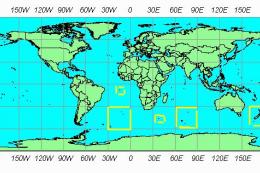
FSX World Wide Coverage SRTM 3 Version 2 Mesh of New Zealand and Islands. Inc…
New Zealand terrain mesh enhances both the North and South Islands with a cleaner, void-free elevation model, delivering sharper ridgelines, improved valleys, and more natural coast-to-mountain transitions for low-level VFR and airliner routes alike. Built for FSX, it refines the overall landscape shape and helps scenery layers sit more convincingly.
 Rate
Rate
 New Zealand
New Zealand Terrain Mesh. These files have had extensive work done on them to remove all voids giving you the user much better STRM terrain mesh for both the North and South Island of New Zealand. By J. Harris.
To Install all you have to do is Copy and Paste nz-fsx-mesh Folder into your addon scenery folder and then activate as you would with any other new scenery.
You are also free to upload these files to any web site or server without permission.
Happy Flying
J.Harris
Free for all simmers · 31.62 MB · Scanned clean Oct 2026
Download speed: Free tier is capped at 0.5 Mbps (this file takes approximately 9 mins at the cap). PRO members download at full line speed.
FSX\Addon Scenery\ containing scenery and texture sub-folders.readme.txt or README file. It tells you exactly where files go, what dependencies are needed, and any quirks specific to this add-on.Use these coordinates to fly directly to this location once the mod is installed.
-41.28650000,174.77620000
Launch FSX or Prepar3D and use Flights → Load to open the downloaded .pln file. Your aircraft will be positioned at this location.
The archive nzfsx.zip has 6 files and directories contained within it.
This list displays the first 500 files in the package. If the package has more, you will need to download it to view them.
| Filename/Directory | File Date | File Size |
|---|---|---|
| readme.txt | 03.30.08 | 495 B |
| scenery | 03.30.08 | 0 B |
| NZ-north Island.bgl | 10.10.07 | 14.45 MB |
| NZ-south Island.bgl | 10.10.07 | 17.79 MB |
| flyawaysimulation.txt | 10.29.13 | 959 B |
| Go to Fly Away Simulation.url | 01.22.16 | 52 B |
Only PRO members can place votes.
More FSX & P3D add-ons hand-picked based on this download.
FSX Scenery
FSX World Wide Coverage SRTM 3 Version 2 Mesh of New Zealand and Islands. Inc…
 FSX Scenery
For users of Flight Simulator X (and FSX: Steam Edition) and/or Prepar3D, ter…
 FSX Scenery
Alaska 38 Terrain Mesh Part 1 & 2. FSX Alaska 38 Terrain Mesh Replacement ter…
 FSX Scenery
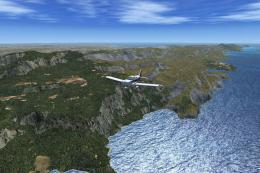
19 M Balearic Terrain Mesh. Specifically designed for FSX, this is a highly d…
 FSX Scenery
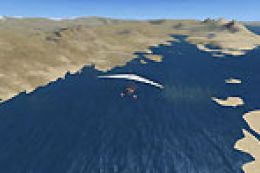
Extreme Westgreenland Terrain Mesh for Greenland. Everybody who flies in Gree…
 FSX Scenery
Extreme Southwestgreenland Terrain Mesh For Greenland. Everybody who flies in…
 FSX Scenery
Scenery Queenstown, New Zealand. Improvements to base FSX version. ILS added,…
 FSX Scenery
Landclass Scenery For New Zealand. Best used in spring, summer and fall. This…
Be the first to leave a comment on this download.
Be the first to share your thoughts on this download.