

 FSX Historic & Vintage Aircraft
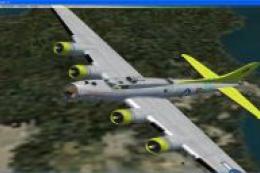
B-17G Fuddy Duddy
Note this aircraft originally was made by Gary Herbert due to the fact that h…
Boeing B-17G “Century Note” livery recreates wartime aircraft 42-107100, famed for completing 100 missions, with accurate squadron markings and weathered detail for convincing screenshots and period flying. Designed for Microsoft Flight Simulator X, it requires the A2A Simulations Accu-Sim B-17 Flying Fortress and integrates cleanly into the aircraft selection.
 Rate
Rate

Textures only for the A2A Simulations Accu-Sim B-17 Flying Fortress. B-17G 42-107100 "Century Note" was well named because she completed that number of missions. By Jeff Trozzo.

Screenshot of Boeing B-17G "Century Note" in flight.
Take the texture folder "texture.centurynote" and copy it to the "WoP2_b17g" folder in FSX.
Next..."ALWAYS BACK UP YOUR CONFIG FILE FIRST!"
And then modify the config as follows...
[FLTSIM.XX] with .XX being the next number available.
[fltsim.XX]

title=Boeing B-17G Century Note of the 532nd Bomb Squadron

sim=B17g

model=

panel=

sound=

texture=centurynote

kb_checklists=b17g_checklist

kb_reference=

ui_manufacturer=Boeing

ui_type=B-17G

ui_variation="Century Note"

ui_typerole="Four Engine Prop"

ui_createdby="A2A Simulations Inc."

atc_airline=Air Force

atc_type=Boeing

atc_model=B17G

description=B-17G 42-107100 "Century Note" was well named because she completed that number of missions.

atc_id=7100

atc_flight_number=

atc_heavy=0

atc_id_color=0000000000

visual_damage=0
I hope you enjoy...
I no longer do custom/request re-paints...so please don't ask.
Free for all simmers · 14.79 MB · Scanned clean Oct 2026
Download speed: Free tier is capped at 0.5 Mbps (this file takes approximately 4 mins at the cap). PRO members download at full line speed.
texture.{airline}) inside FSX\SimObjects\Airplanes\{base-aircraft}\.aircraft.cfg in Notepad. Add a new [fltsim.X] section per the readme.readme.txt or README file. It tells you exactly where files go, what dependencies are needed, and any quirks specific to this add-on.The archive centurynote_a2ab17g.zip has 19 files and directories contained within it.
This list displays the first 500 files in the package. If the package has more, you will need to download it to view them.
| Filename/Directory | File Date | File Size |
|---|---|---|
| 100note1.gif | 05.13.10 | 9.24 kB |
| 100note22.jpg | 05.11.10 | 6.75 kB |
| READ_ME FIRST_FSCOM.txt | 05.12.10 | 1.15 kB |
| texture.centurynote | 05.12.10 | 0 B |
| b17g_1_t.dds | 05.11.10 | 4.00 MB |
| b17g_1_t_spec.dds | 05.03.10 | 1.00 MB |
| b17g_2_t.dds | 05.11.10 | 4.00 MB |
| b17g_2_t_spec.dds | 05.11.10 | 4.00 MB |
| b17g_3_t.dds | 05.11.10 | 4.00 MB |
| b17g_3_t_spec.dds | 05.11.10 | 4.00 MB |
| b17g_4_t.dds | 05.11.10 | 4.00 MB |
| b17g_4_t_spec.dds | 05.11.10 | 4.00 MB |
| b17g_5_t.dds | 05.11.10 | 4.00 MB |
| b17g_5_t_spec.dds | 05.11.10 | 4.00 MB |
| texture.cfg | 03.30.10 | 137 B |
| Thumbnail.jpg | 05.11.10 | 26.06 kB |
| wopb17avsimreadme.txt | 05.11.10 | 1.36 kB |
| flyawaysimulation.txt | 10.29.13 | 959 B |
| Go to Fly Away Simulation.url | 01.22.16 | 52 B |
Only PRO members can place votes.
More FSX & P3D add-ons hand-picked based on this download.
FSX Historic & Vintage Aircraft
Note this aircraft originally was made by Gary Herbert due to the fact that h…
 FSX Historic & Vintage Aircraft
Boeing B-17 Flying Fortress "A Bit O'Lace" with original repaint, and repaint…
 FSX Historic & Vintage Aircraft
An FSX-native Boeing-Stearman Model 75 freeware aircraft add-on with a range …
 FSX Historic & Vintage Aircraft
The Boeing 307 was the first pressurized airliner. Because of the war, only 1…
 FSX Historic & Vintage Aircraft
Repaint for FS-Cast Boeing B-17G, version 1.0, 2008.05.16, created by Francis…
 FSX Historic & Vintage Aircraft
FSX Boeing 314 Clipper. Boeing's Clipper redone for FSX. This is an original …
 FSX Historic & Vintage Aircraft
The Boeing 247 was a trendsetter in the early 1930’s. It was the first airlin…
 FSX Historic & Vintage Aircraft
Repaint for FS-Cast Boeing B-17G for FSX, version 1.0, 2008.05.16 Created by …
Be the first to leave a comment on this download.
Be the first to share your thoughts on this download.