

 FSX Historic & Vintage Aircraft
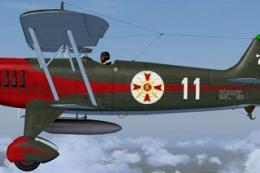
Heinkel He-51
The Heinkel He51 was a German single-seat biplane which was produced in a num…
Heinkel He P1079B/II brings a never-built late‑war heavy fighter concept to life with a fully animated model, dynamic virtual cockpit, and responsive swept‑wing handling. Built for Microsoft Flight Simulator X Acceleration, it depicts the twin He S 011 jet layout, two‑crew cockpit arrangement, and planned four MK 108 30 mm cannon fit.
 Rate
Rate
Heinkel He P1079B/II Heavy Fighter for FSX Acceleration. Updated for FSX from an original model by Steve Robinson for FS2002. Fully animated model with dynamic virtual cockpit. A fast, maneuverable, World War Two design that never left the drawing board, now bought to life in Flight Simulator. Update by Keith Hackett.

Screenshot of Heinkel He P1079B/II Heavy Fighter in flight.
Installation. Unzip to your desktop then double click the installer.Package will be installed to c:FSXSimObjectsAirplanes, where you will find it in a folder called P1079bc.
The aircraft will now be available to fly.
Info:
This was the second design (Entwurf II) for the He P.1079B all-weather heavy fighter. The wings were swept back sharply and contained six fuel tanks. Two He S 011 jet engines were located in the wing roots and were fed by intakes in the wing leading edges. A crew of two sat back-to-back in the cockpit, and armament was to be four MK 108 30mm cannon. No evidence has been found that the P.1079 projects were ever submitted to the RLM, but it is known that designer Siegfried Günter, along with his engineers Eichner and Hohbach, were working on these designs under U.S. supervision during the summer of 1945.
Model, animation, cockpit and cockpit views e.t.c. updated by me from the original model by Steve Robinson.
I have also included the G-Max file.Thanks to Steve for producing the original and including the original Gmax file which enabled me to update it.
Happy Flying.
Keith Hackett.
Note: Package will also work in FSX without Acceleration but you will need to alias the sound.cfg to an airaft other than the Acceleration F18.
Free for all simmers · 1.92 MB · Scanned clean Oct 2026
Download speed: Free tier is capped at 0.5 Mbps. PRO members download at full line speed.
FSX\SimObjects\Airplanes\. The folder must contain an aircraft.cfg file. Effects go into FSX\Effects\; gauges go into FSX\Gauges\.readme.txt or README file. It tells you exactly where files go, what dependencies are needed, and any quirks specific to this add-on.The archive fsxp1079bc.zip has 6 files and directories contained within it.
This list displays the first 500 files in the package. If the package has more, you will need to download it to view them.
| Filename/Directory | File Date | File Size |
|---|---|---|
| FILE_ID.DIZ | 12.19.10 | 298 B |
| Installer.exe | 12.19.10 | 1.99 MB |
| Readme.txt | 12.19.10 | 1.55 kB |
| Thumbnail.jpg | 11.28.10 | 11.22 kB |
| flyawaysimulation.txt | 10.29.13 | 959 B |
| Go to Fly Away Simulation.url | 01.22.16 | 52 B |
Only PRO members can place votes.
More FSX & P3D add-ons hand-picked based on this download.
FSX Historic & Vintage Aircraft
The Heinkel He51 was a German single-seat biplane which was produced in a num…
 FSX Historic & Vintage Aircraft
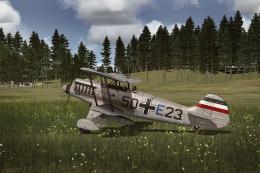
This repaint package adds a speculative German Air Force livery to the classi…
 FSX Historic & Vintage Aircraft
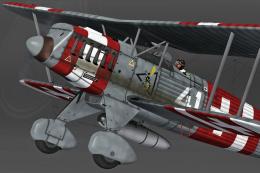
Bring a fresh touch of Swiss aviation history into Microsoft Flight Simulator…
 FSX Historic & Vintage Aircraft
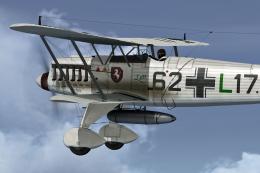
This freeware add-on delivers a distinctive repaint crafted to represent a Ge…
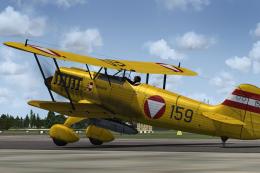 FSX Historic & Vintage Aircraft
This texture package offers an imagined Austrian Air Force finish for the cla…
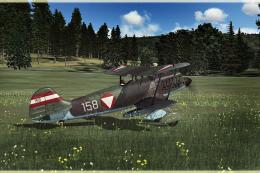 FSX Historic & Vintage Aircraft
This repaint pack introduces a unique Austrian Air Force-inspired livery for …
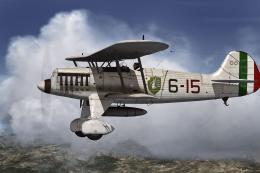 FSX Historic & Vintage Aircraft
This repaint offers an imaginary Italian Air Force rendition of the Heinkel H…
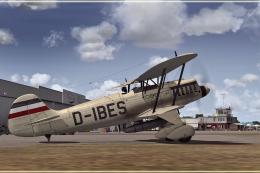 FSX Historic & Vintage Aircraft
This repaint package presents a fictional livery labeled “D-IBES” for the Hei…
Be the first to leave a comment on this download.
Be the first to share your thoughts on this download.