

 FSX Civil Aircraft
Lufthansa Boeing 787-10 V4
This comprehensive freeware release offers an enhanced Lufthansa Boeing 787-1…
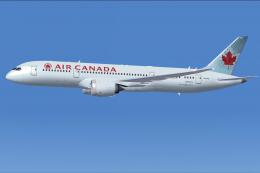
Air Canada’s Boeing 787-10 for FSX brings CamSim v4 refinements to the Dreamliner’s exterior, including revised wing root geometry, corrected windows, wider passenger doors, and updated antenna and air-duct details. Upgraded Animated Ground Servicing adds realistic turnaround sequences with connectable vehicles plus animated doors and cargo operations.
 Rate
Rate
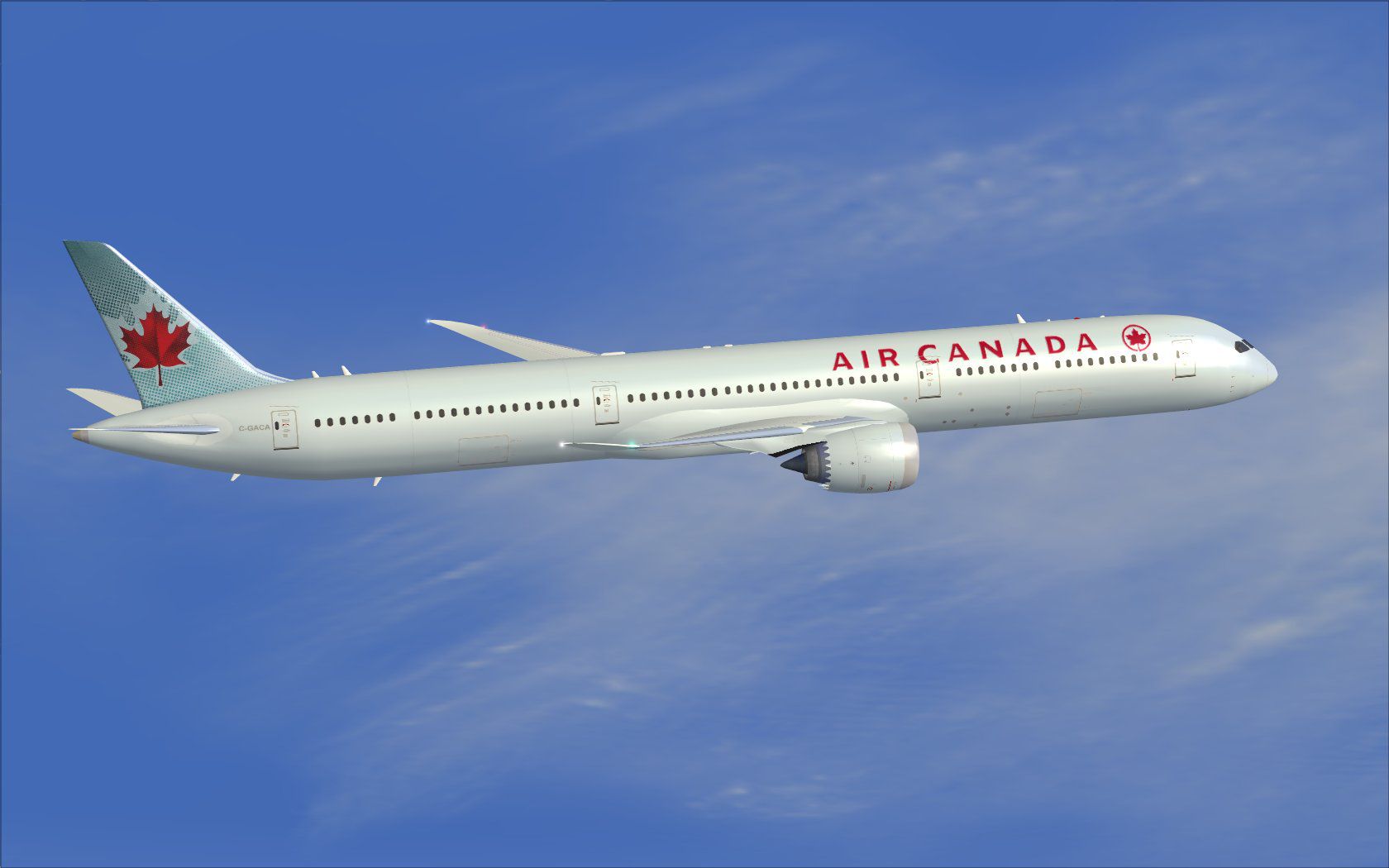
This updated package provides a complete freeware rendition of the Air Canada-liveried Boeing 787-10 in CamSim’s version 4 release. It includes a host of refinements, revised geometry, and expanded ground servicing options that replicate real-world procedures. Developed by Camil Valiquette, this download is intended for FSX users seeking both visual accuracy and functional realism.
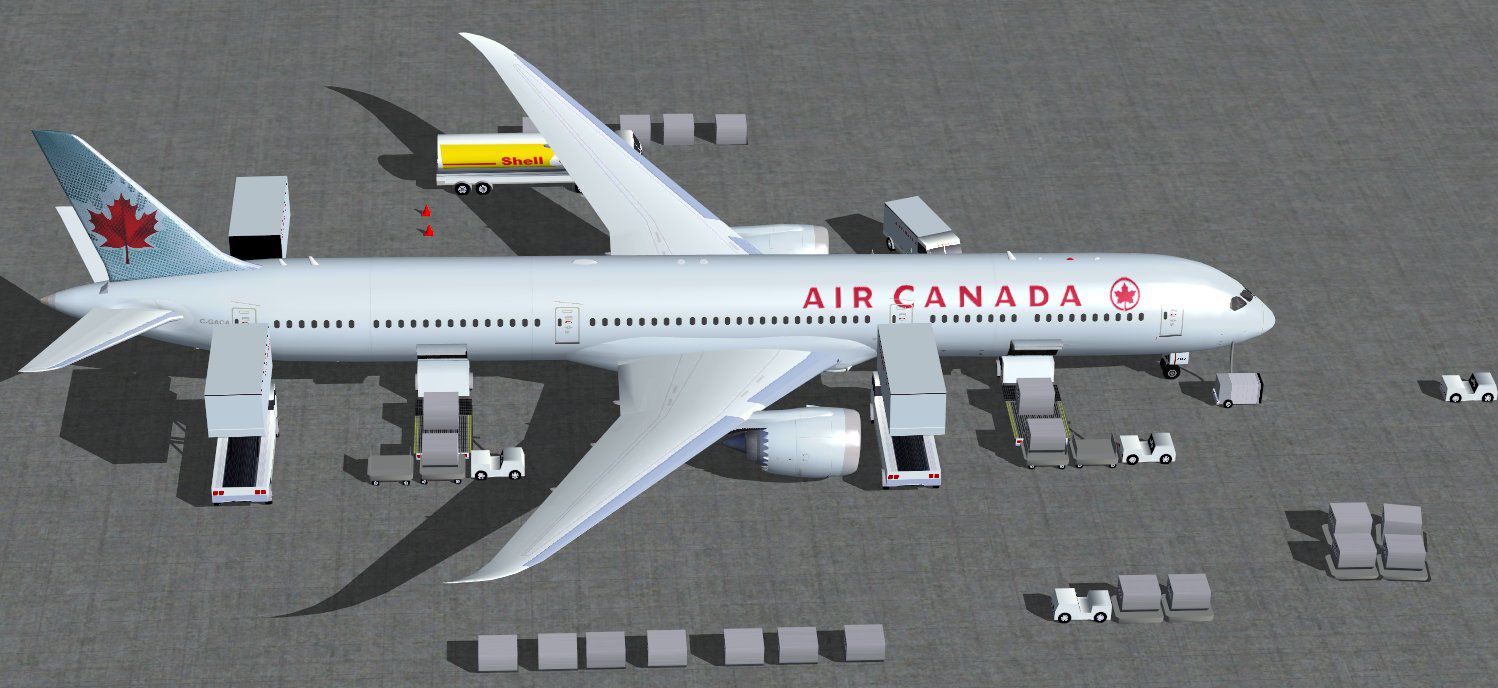
CamSim’s version 4 improves the aircraft’s wing root design, which helps portray a more authentic aerodynamic profile in the simulator. The passenger doors are now wider, and the window placements have been adjusted to reflect actual Dreamliner layout specifications. In addition, expanded animated air ducts, along with multiple updated communication and satellite antenna models, further enhance the external fidelity. AGS (Animated Ground Servicing) has also been upgraded by adding extra animation sequences; for instance, trucks seamlessly connect and disconnect trailers, while various static features bring extra immersion during turnaround operations.
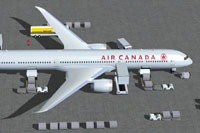
Screenshot of Air Canada Boeing 787-10 with ground services.
The Boeing 787-10 is recognized as the largest member of the Dreamliner family, offering extended passenger capacity and range. Air Canada, being the nation’s flag carrier, has implemented these aircraft to optimize their long-haul services with improved fuel efficiency and advanced cabin features. In the simulator, these attributes stand out through the enhanced model details and carefully engineered animations provided by CamSim.
The ground service features, known as AGS, simulate real cabin and cargo operations. Using specific key combinations, you can manage the interactive doors and trucks:
To fully utilize these animations, verify that your FSX controls are set up properly. Within the simulator:
Once configured, the detailed AGS functionalities will be operational, letting you experience a more realistic workflow around the aircraft gates. The integrated package designed and painted by Camil Valiquette offers an excellent balance between simulation complexity and ease of use, making this a valuable freeware addition for anyone looking to explore the largest Dreamliner variant in their FSX environment.
Free for all simmers · 5.34 MB · Scanned clean Oct 2026
Download speed: Free tier is capped at 0.5 Mbps (this file takes approximately 2 mins at the cap). PRO members download at full line speed.
This add-on may require the following files to function properly. If this is a repaint, the dependency below is likely the base aircraft package.
FSX\SimObjects\Airplanes\. The folder must contain an aircraft.cfg file. Effects go into FSX\Effects\; gauges go into FSX\Gauges\.readme.txt or README file. It tells you exactly where files go, what dependencies are needed, and any quirks specific to this add-on.The archive 780v4acx.zip has 37 files and directories contained within it.
This list displays the first 500 files in the package. If the package has more, you will need to download it to view them.
| Filename/Directory | File Date | File Size |
|---|---|---|
| CamSim Boeing 787-10 V4 Air Canada | 07.01.13 | 0 B |
| 780v4ac_.jpg | 06.28.13 | 88.66 kB |
| 780v4ac_ags.jpg | 07.01.13 | 160.91 kB |
| 787-10.air | 03.24.09 | 12.76 kB |
| aircraft.cfg | 07.01.13 | 15.58 kB |
| Effects.zip | 09.09.08 | 1.81 kB |
| file_id.diz | 07.01.13 | 435 B |
| model.787-10 ags V4 | 07.01.13 | 0 B |
| 787-10 ags v4.mdl | 07.04.12 | 3.02 MB |
| Model.cfg | 03.27.12 | 32 B |
| Panel | 07.01.13 | 0 B |
| 787_350_panel_background.bmp | 02.25.10 | 2.25 MB |
| 787_350_panel_background_night.bmp | 02.25.10 | 2.25 MB |
| Airbus_A321.cab | 09.04.06 | 2.72 MB |
| panel.cfg | 02.25.10 | 5.48 kB |
| panel camsim 787-350 afx_2.jpg | 04.09.10 | 182.86 kB |
| Read Me How to setup Animations (AGS).txt | 06.13.13 | 867 B |
| Read Me_FSX.txt | 07.01.13 | 2.37 kB |
| sound | 07.01.13 | 0 B |
| Sound.cfg | 11.04.09 | 35 B |
| texture.ac | 07.01.13 | 0 B |
| 787eng_t.bmp | 06.28.13 | 1.00 MB |
| 787ext_L.bmp | 07.01.13 | 4.00 MB |
| 787ext_t.bmp | 07.01.13 | 1.00 MB |
| 787int_L.bmp | 07.01.13 | 4.00 MB |
| 787int_t.bmp | 07.01.13 | 1.00 MB |
| 787tail_t.bmp | 03.23.06 | 1.00 MB |
| 789wings_t.bmp | 11.24.09 | 1.00 MB |
| 78xfuse_t.bmp | 06.28.13 | 1.00 MB |
| gris_t.bmp | 12.09.09 | 16.07 kB |
| pilot1.bmp | 09.11.09 | 257.05 kB |
| pilot1_L.bmp | 12.06.06 | 1.00 MB |
| tail.bmp | 12.02.12 | 1.00 MB |
| thumbnail.jpg | 07.01.13 | 4.82 kB |
| w_t.bmp | 12.06.08 | 16.07 kB |
| flyawaysimulation.txt | 10.29.13 | 959 B |
| Go to Fly Away Simulation.url | 01.22.16 | 52 B |
Only PRO members can place votes.
More FSX & P3D add-ons hand-picked based on this download.
FSX Civil Aircraft
This comprehensive freeware release offers an enhanced Lufthansa Boeing 787-1…
 FSX Civil Aircraft
This freeware package offers a detailed British Airways Boeing 787-10, produc…
 FSX Civil Aircraft
Experience an enhanced rendition of United Airlines’ Boeing 787-10, developed…
 FSX Civil Aircraft
The latest rendition of this freeware model highlights a range of structural …
 FSX Civil Aircraft
This freeware release simulates the latest variant of a popular wide-body jet…
 FSX Civil Aircraft
This updated release brings a highly detailed Boeing 787-8 in Air Canada’s li…
 FSX Civil Aircraft
This freeware aircraft add-on offers a retro-inspired Trans Canada Air Lines …
 FSX Civil Aircraft
This repaint for the AI Boeing 787-8 enriches your virtual skies with Air Can…
Be the first to leave a comment on this download.
Be the first to share your thoughts on this download.