

 FSX Historic & Vintage Aircraft
Douglas C-47 Skytrain/DC-3 Mega Pack
Now version 3.14 (V3.1406). This package includes the latest Douglas C-47 Sky…
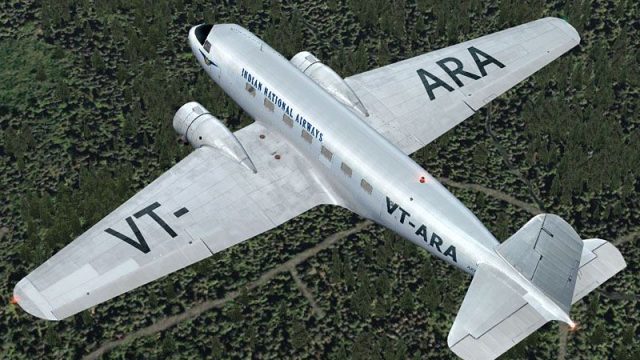
Indian National Airways Douglas DC-2 repaint depicts aircraft VT-ARA with period-accurate livery details for classic propliner flying in Microsoft Flight Simulator X. It requires the Uiver Team X Douglas DC-2 base package, adding a historically grounded option that complements the model’s authentic virtual cockpit, interior, and flight dynamics.
 Rate
Rate

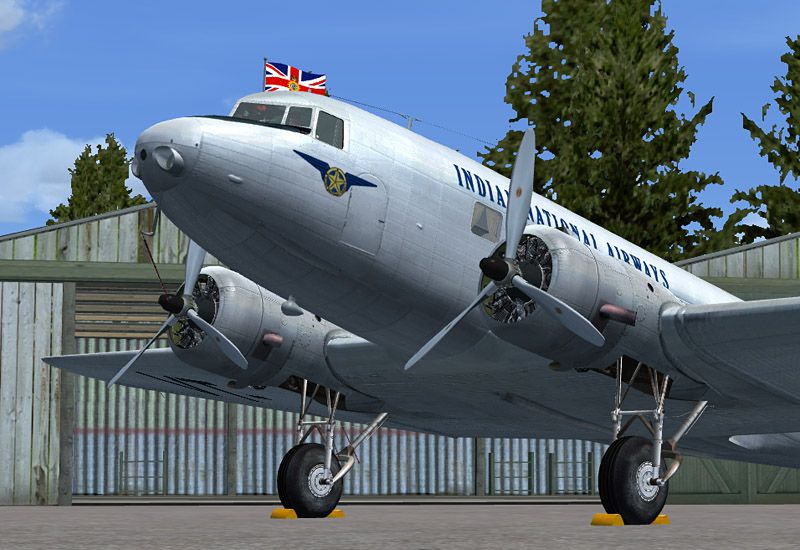

Indian National Airways Douglas DC-2, registration VT-ARA. This is a repaint for the Douglas DC2 package by the Uiver Team X. The revenue from the sales of the DC-2 package will be donated to the Aviodrome, Dutch National Aviation Theme Park and Museum. By Tim Scharnhop.
Screenshot of Indian National Airways Douglas DC-2 on the ground.
INSTALLATION
This download requires the previous installation of the Douglas DC-2 package for FSX and presumes a standard installation of this package.
1. Unzip dc2X_india.ZIP to a temporary folder, ensuring that you retain folder names.
2. Within the download, move the texture folder 'texture.india' to the folder 'Douglas_DC2_X' within your 'Microsoft Flight Simulator X\SimObjects\Airplanes' folder.
3. If you have installed the latest version of the DC-2 (the last update is from 12/31/2010) you are already done. If not, I would strongly recommend to do so, as the latest update includes many enhancements.
4. Open the aircraft.cfg with a text editor. Enter the following section under the last [flightsim.XX] entry, numbering it sequentially:
[fltsim.XX]

title=Douglas DC-2 Indian National Airways X

sim=uiver_aviodrome

model=old

panel=old

sound=

texture=india

checklists=

kb_checklists=douglas_dc2_check

kb_reference=douglas_dc2_ref

atc_id_enable=1

atc_id=VT-ARA

description=DC-2-112 (MSN 1238) originally delivered to TWA in 1934, this DC-2 became AX767 at Khartoum with the RAF on 14 October 1941. It served with both 117 and 31 Squadrons. On 25 September 1942 it was registered VT-ARA with Indian National Airways.\nFSX Flight Dynamics: Tom Falley, Rob Cappers\nModel: Alexander Schreijnders, Jan Visser, Rob Cappers\nTextures: Tim Scharnhop, Gerrit Kranenbarg, Jan Visser\nVC, Interior: Rob Cappers, Tim Scharnhop, Jan Visser\nXML & DLL Programming: HansJörg Naegele\nGauge bitmaps: Rob Cappers, Tim Scharnhop\nEffects: Roland Berger

ui_manufacturer=Douglas

ui_type=DC-2

ui_variation=Indian National Airways

ui_typerole="Twin Engine Prop"

ui_createdby=""Uiver" Team X"

atc_airline=

atc_heavy=0

atc_flight_number=

atc_id_color=0x00000000

atc_id_font=Verdana,-11,1,600,0

visual_damage=0

atc_parking_types=RAMP
5. Save the file. You're done. Your new aircraft will now appear in the aircraft selection menu within the sim.
CREDITS:
Flight Dynamics: Tom Falley, Rob Cappers
Model: Alexander Schreijnders, Jan Visser, Rob Cappers
Textures: Tim Scharnhop, Gerrit Kranenbarg, Jan Visser
VC, Interior: Rob Cappers, Tim Scharnhop, Jan Visser
XML & DLL Programming: HansJörg Naegele
Gauge bitmaps: Rob Cappers, Tim Scharnhop
Modern Avionics: Simflyer, HansJörg Naegele
Effects: Roland Berger
By Tim Scharnhop
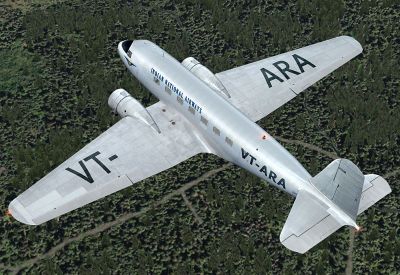
Screenshot of Indian National Airways Douglas DC-2 in flight.
Free for all simmers · 5.27 MB · Scanned clean Oct 2026
Download speed: Free tier is capped at 0.5 Mbps (this file takes approximately 1 min at the cap). PRO members download at full line speed.
texture.{airline}) inside FSX\SimObjects\Airplanes\{base-aircraft}\.aircraft.cfg in Notepad. Add a new [fltsim.X] section per the readme.readme.txt or README file. It tells you exactly where files go, what dependencies are needed, and any quirks specific to this add-on.The archive dc2x_india.zip has 12 files and directories contained within it.
This list displays the first 500 files in the package. If the package has more, you will need to download it to view them.
| Filename/Directory | File Date | File Size |
|---|---|---|
| dc2x_india.jpg | 01.04.11 | 155.40 kB |
| file_id.diz | 01.04.11 | 470 B |
| readme.txt | 01.04.11 | 4.05 kB |
| thumbnail.gif | 01.04.11 | 7.88 kB |
| dc2_exterior.dds | 12.05.10 | 4.00 MB |
| dc2_exterior_spec.dds | 12.04.10 | 4.00 MB |
| dc2_flag.dds | 12.04.10 | 64.12 kB |
| texture.cfg | 08.27.08 | 137 B |
| thumbnail.jpg | 12.05.10 | 61.60 kB |
| dc2x_india2.jpg | 01.04.11 | 175.28 kB |
| flyawaysimulation.txt | 10.29.13 | 959 B |
| Go to Fly Away Simulation.url | 01.22.16 | 52 B |
Only PRO members can place votes.
More FSX & P3D add-ons hand-picked based on this download.
FSX Historic & Vintage Aircraft
Now version 3.14 (V3.1406). This package includes the latest Douglas C-47 Sky…
 FSX Historic & Vintage Aircraft
The Douglas DC2 was a 14-seat, twin-propeller airliner produced by the Dougla…
 FSX Historic & Vintage Aircraft
A repaint of the default DC3 in WW2 olive drab livery. By Todd Schlappi. Scre…
 FSX Historic & Vintage Aircraft
for the default DC3. D Tarbox.
 FSX Historic & Vintage Aircraft
This specialized repaint offers an authentic Royal New Zealand Air Force (RNZ…
 FSX Historic & Vintage Aircraft
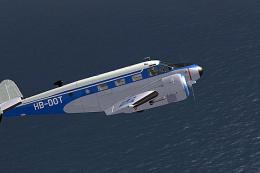
This repaint offers a fictional Swiss-inspired livery for the classic Beech D…
 FSX Historic & Vintage Aircraft
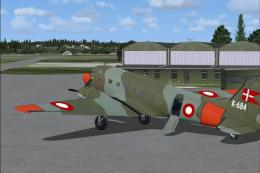
RDAF Douglas DC-3 texture. A repaint of the default DC-3 / C-47 as the Royal …
 FSX Historic & Vintage Aircraft
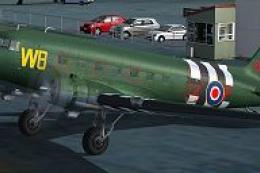
This free repaint provides Microsoft Flight Simulator X users with an authent…
Be the first to leave a comment on this download.
Be the first to share your thoughts on this download.