


 United States of America
  FSX Scenery
Dover AFB
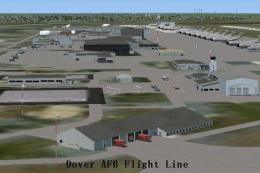
Dover Air Force Base or Dover AFB (IATA: DOV, ICAO: KDOV, FAA LID: DOV) is a …
Eielson Air Force Base (PAEI) near Fairbanks, Alaska gets a sharper, more authentic military layout in FSX, with refined taxiways, reorganized aprons, and new Military_Cargo and Military_Combat parking. Added hangars, utility buildings, vehicles, light poles, and a detailed fire station use native assets for seamless immersion.
Enhance Eielson AFB in your simulator with this freeware add-on by developer Jim Cook. This package upgrades the default scenery in FSX, providing more realistic military apron configurations, additional structures, and fine-tuned taxiways that accurately depict this key Air Force installation near Fairbanks, Alaska.
This scenery enhancement offers an improved layout of Eielson AFB (ICAO code: PAEI) with new Military_Cargo and Military_Combat parking spots. These parking options accommodate a broader range of military traffic, reflecting the real-world role of Eielson AFB as a strategic support hub in Alaska. The project covers reorganized apron areas, ensuring that aircraft can maneuver realistically even with high-density traffic.
The add-on incorporates a dedicated fire station building, stocked with specialist vehicles to enhance immersion. Placing these fire trucks in realistic positions ensures prompt airfield coverage. It mirrors genuine emergency services that would be found at an active Air Force base in a remote region like central Alaska.
Eielson AFB Scenery.
To maintain authenticity, many of the default structures have been replaced or repositioned. Additional hangars, utility buildings, and static ground vehicles have been seamlessly added. Subtle details like fuel trucks, parked cars, and illuminated light poles round out the environment so you can replicate the experience of operating from a dedicated military facility. All these objects utilize native FSX assets, so there is no need to install external library files.
Although this add-on functions flawlessly as a standalone package, it also works well alongside optional expansions. Users of Just Flight's Military Plus Packs can expect consistent traffic flows, and those using Ultimate Terrain or FSGenesis landclass will notice contextual improvements in the broader Fairbanks area. However, none of these extras are mandatory to enjoy the enhanced scenery at Eielson AFB.
Utilizing AirNav charts and high-resolution imagery from Google Earth, the developer has optimized the airfield layout, ensuring correct taxiway alignments and authentic apron designs. The modifications reflect day-to-day operational elements crucial for aircraft movements, from fighter jets to support planes. All updates have been meticulously constructed with Flight 1’s AFX application and Instant Scenery to maintain clarity and detail.
1. Extract the two files named AFX_PAEI_JC.bgl and PAEI_JC.bgl.
2. Place them in the Addon Scenery/Scenery folder of your FSX installation.
3. Restart Flight Simulator X to load the enhanced Eielson AFB environment.
Developed by Jim Cook. This freeware release provides an authentic transformation of Eielson AFB and stands as a valuable addition to any military-themed virtual aviation experience.
Free for all simmers · 16.43 KB · Scanned clean Oct 2026
Download speed: Free tier is capped at 0.5 Mbps. PRO members download at full line speed.
FSX\Addon Scenery\ containing scenery and texture sub-folders.readme.txt or README file. It tells you exactly where files go, what dependencies are needed, and any quirks specific to this add-on.Use these coordinates to fly directly to this location once the mod is installed.
64.66570000,-147.10250000
Launch FSX or Prepar3D and use Flights → Load to open the downloaded .pln file. Your aircraft will be positioned at this location.
The archive eilson.zip has 6 files and directories contained within it.
This list displays the first 500 files in the package. If the package has more, you will need to download it to view them.
| Filename/Directory | File Date | File Size |
|---|---|---|
| AFX_PAEI_JC.bgl | 07.24.08 | 27.44 kB |
| PAEI_JC.bgl | 07.24.08 | 3.51 kB |
| eilson_read_me.txt | 07.24.08 | 1.06 kB |
| FILE_ID.DIZ | 07.30.08 | 211 B |
| flyawaysimulation.txt | 10.29.13 | 959 B |
| Go to Fly Away Simulation.url | 01.22.16 | 52 B |
Only PRO members can place votes.
More FSX & P3D add-ons hand-picked based on this download.
FSX Scenery
Dover Air Force Base or Dover AFB (IATA: DOV, ICAO: KDOV, FAA LID: DOV) is a …
 FSX Scenery
Custom built hangars and buildings for Altus AFB, Oklahoma (OK), USA. AFCAD f…
 FSX Scenery
Scenery Edwards AFB Additions (KEDW), California (CA). Adds two refuel statio…
 FSX Scenery
Charleston AFB / International Airport (KCHS), South Carolina (SC). A complet…
 FSX Scenery
Scenery Griffiss AFB New York (NY) as it was back in the late 1980's before i…
 FSX Scenery
This freeware package refines the stock representation of Nellis Air Force Ba…
 FSX Scenery
Mountain Home AFB (KMUO), Idaho (ID). The Air Force has been consolidating ai…
 FSX Scenery
(KCOS), CO. Custom built detailed terminal, hangars, nearby buildings, hotels…
Be the first to leave a comment on this download.
Be the first to share your thoughts on this download.